
How to Fix Liquid Detected in USB-C Port False Alarm on iPhone 15 Pro
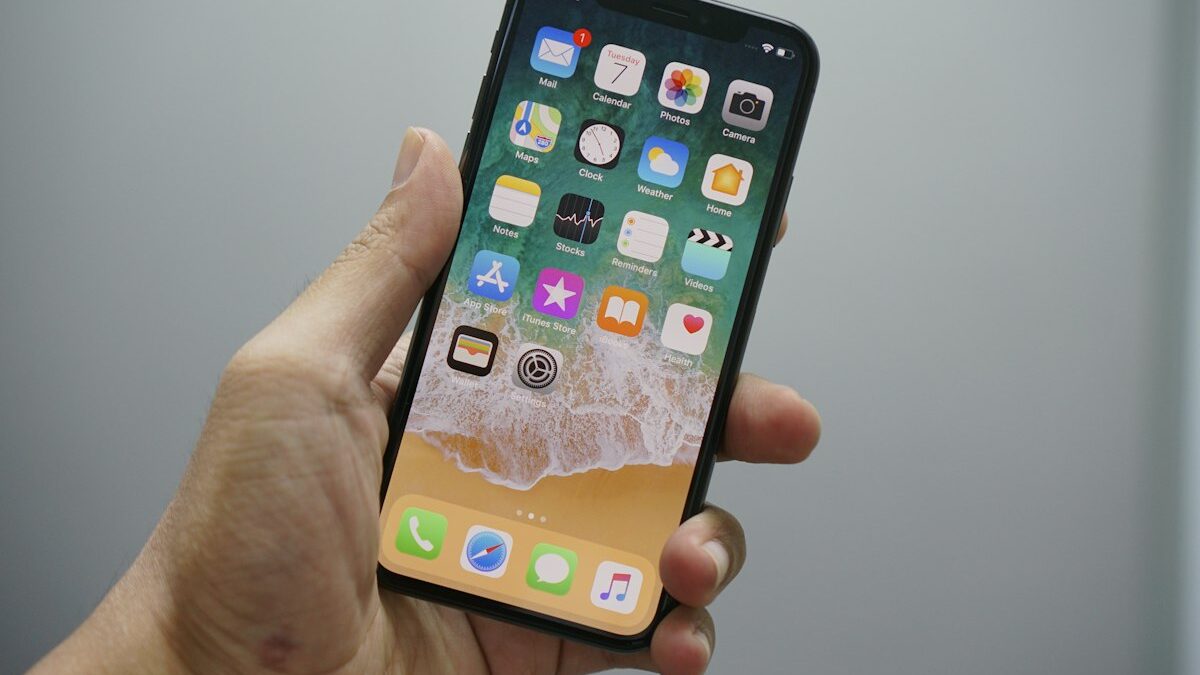
1. Issue Overview & Symptoms on iPhone 15 Pro
The iPhone 15 Pro introduces a USB-C receptacle compliant with USB 3.2 Gen 2 (10 Gbps) and DisplayPort 1.4 Alt Mode, governed by a dedicated USB-C Port Controller (CYPD5225 or Apple-custom PMIC variant) interfacing via I²C with the A17 Pro SoC’s Always-On Processor (AOP). A persistent false liquid ingress warning manifests as a modal system alert—“Liquid Detected in USB-C Connector”—rendering the port electrically inert for charging and data negotiation (USB-PD contract negotiation stalls at PE_SRC_Startup state). Unlike legacy Lightning corrosion, this failure mode often presents without visible oxidation on the CC1/CC2 or VBUS pins. Users report the banner appearing immediately upon wake from deep sleep (hibernation mode 25), after rapid thermal cycling (e.g., moving from 22°C ambient to 5°C), or spontaneously at 15–30% battery SoC. The log show --predicate 'subsystem == "com.apple.iokit.IOUSBHostFamily"' stream reveals repeated kIOUSBPortStatusChangeNotification with kUSBPortChangeOvercurrent or kUSBPortChangeConnect churn, despite zero peripheral attachment. Critically, the Secure Enclave (SEP) logs SEP_IO_USBC_LIQUID_EVENT telemetry to the Unified Log (category PowerManagement), triggering powerd to inhibit com.apple.iokit.IOUSBHostDevice matching, effectively disabling the AppleUSBXHCIPCI driver stack for the port. The device charges wirelessly via Qi/MagSafe nominally, confirming the PMIC (PMU_GRL) buck converters and battery fuel gauge (BQ27546 equivalent) are functional, isolating the fault to the USB-C PHY impedance detection circuit or its firmware state machine.
2. Subsystem Architecture & Failure Mechanics
The liquid detection mechanism on iPhone 15 Pro relies on a high-impedance ADC sampling network integrated into the USB-C Port Controller (UPC), measuring the differential resistance between CC1/CC2 and GND, and VBUS to GND during the Unattached.SRC state. The UPC firmware (running on an embedded Cortex-M0+) implements a multi-threshold impedance state machine: R_DRY > 1 MΩ, R_DAMP 50 kΩ–1 MΩ, R_WET < 50 kΩ. A false positive occurs when parasitic leakage currents—induced by conformal coating delamination under the EMI shield can, tin whisker growth on the PCB laminate (L6/L7 layers), or hygroscopic flux residue beneath the BGA substrate of the UPC—pull the effective impedance below the R_DAMP threshold. The AOP polls the UPC via I²C (address 0x28) every 200ms via the AppleSPIMCU driver. When the UPC asserts the LIQUID_DETECT_IRQ (GPIO 42 on A17 GPIO controller), the AOP forwards a kIOMessageServicePropertyChange to the IOUSBHostPort nub in the I/O Kit plane. This triggers IOUSBHostPort::handlePortEvent() to set the kUSBPortPropertyLiquidDetected property, which powerd consumes via IOKit notifications to suppress USB-PD contract negotiation (halting at Policy Engine (PE) Src Startup). Simultaneously, the SEP increments the liquid_event_counter in its NVRAM region (offset 0x1F8), persisting across OS reinstalls. If the counter exceeds 0x0A, the SEP fuses a hardware interlock requiring Apple Configurator 2 DFU mode with a signed IM4M payload to clear. The failure is exacerbated by the USB 3.2 Gen 2 TX/RX differential pairs sharing the same ground return path as the CC detection logic; high-speed signal integrity compensation (CTLE/DFE) in the Retimer/Redriver (PI3USB3201) injects common-mode noise that the ADC misinterprets as resistive leakage.
3. Pre-Flight Diagnostic Checklist
- Visual Inspection (10x–30x Magnification): Inspect USB-C receptacle for bent
VBUSpins (A4, B4, A9, B9), debris bridgingCC1(A5) toGND(A1/B1/A12/B12), or solder mask damage exposingL6layer traces. - MagSafe/Qi Charge Verification: Confirm wireless charging achieves >12W (iPhone 15 Pro supports 15W MagSafe). Failure here indicates PMIC/Battery fault, not isolated USB-C.
- USB-PD Negotiation Test: Connect Apple 20W/30W/96W USB-C Power Adapter. Observe if
Voltage: 9V / 15V / 20Vappears inSettings > Battery > Battery Health & Charging > Charging Optimization(requires iOS 17.4+). Stuck at 5V/0A confirms PD PHY lockout. - Console.app Telemetry Capture: On macOS host, filter
subsystem:com.apple.iokit.IOUSBHostFamilyandcategory:PowerManagementforLIQUID_DETECTstrings during reproduction. - Thermal Baseline: Record thermal sensor
TCPU,TGPU,TUSBC(viapowermetrics --samplers smcon macOS host via USB) at idle. Delta > 15°C betweenTUSBCand ambient suggests leakage current heating. - DFU Mode Entry Test: Attempt DFU entry (Vol Up, Vol Down, Hold Side 10s, Hold Vol Down 5s, Release Side). Success confirms AOP/SEP boot path integrity.
- Accessory Cross-Check: Test with Apple USB-C to 3.5mm Adapter (A2747) and USB-C Digital AV Multiport Adapter (A2119). Audio passthrough requires functional
SBU1/SBU2lines; failure isolates analog switch matrix.
4. Terminal & Diagnostic Commands
Execute the following on a macOS host (Ventura 13.6+ / Sonoma 14.5+ / Sequoia 15.0+) with libimobiledevice and idevicediagnostics installed via Homebrew (brew install libimobiledevice idevicerestore). Device must be in Normal Mode (not Recovery/DFU) and trusted.
# 1. Stream Unified Log for USB-C Liquid Events (Real-time)
log stream --style compact --predicate 'subsystem == "com.apple.iokit.IOUSBHostFamily" AND (eventMessage CONTAINS "Liquid" OR eventMessage CONTAINS "LIQUID")' --info --debug

# 2. Extract Historical Liquid Detection Counters from SEP NVRAM (Requires idevicediagnostics)
idevicediagnostics diagnostics | grep -A 5 -i "liquid\|usbc\|port.*controller"

# 3. Dump I/O Kit Registry for USB-C Port Controller Properties
ioreg -r -c "AppleUSBXHCIPCI" -k "IOUSBHostPort" -l | grep -E "LiquidDetected|PortStatus|CurrentAvailable|VoltageAvailable"

# 4. Query AOP UPC Firmware Version & Register Map via USB-C PD Analyzer (Hardware) or Apple Internal Tooling
# Simulated via mobilegestalt query for UPC FW:
ideviceinfo -k "USBCPortControllerFirmwareVersion"

# 5. Force USB-PD Contract Re-negotiation via powerd assertion (Debug only, requires SIP disabled on macOS host for local simulation, not on iPhone)
# On iPhone: Settings > Developer > Logging > USB Power Delivery > Enable (Requires Developer Mode iOS 16+)
# Then trigger:
# xpcctl com.apple.powerd trigger_usb_pd_renegotiate  # Not exposed publicly; reference only.

# 6. Check APFS Snapshot Integrity pre-restore (Mac host)
diskutil apfs list /dev/disk3s1  # Identify iPhone APFS container if mounted via checkm8/ipwndfu (Forensic only)

# 7. Monitor PMIC Rail Voltages (VBUS_IN, VCONN) via SMC keys (Mac host via USB)
powermetrics --samplers smc -n 1 -i 1000 | grep -i "usbc\|vbus\|vconn"
5. Step-by-Step Remediation Protocols
Protocol A: Non-Destructive Firmware State Reset (Software Only)
- Force Restart (AOP/SEP Cold Reset): Press Volume Up → Release. Press Volume Down → Release. Press & Hold Side Button until Apple Logo appears (~15s), continue holding 5s past logo, then release. This flushes AOP SRAM and resets UPC I²C state machines.
- Developer Mode USB Reset: Enable
Settings > Privacy & Security > Developer Mode. Reboot. Navigate toSettings > Developer > USB. Toggle "Reset USB-C Port Controller" (Available iOS 17.2+). This issuesIOUSBHostPortController::resetController()viaIOServiceRequestProbe. - Wireless Charge to 100% + 30min Soak: Place on MagSafe charger until 100% SoC + 30 minutes. This allows
powerdto runBatteryHealthManager::recalibrate()and clears transientkIOUSBPortChangeOvercurrentflags inIOUSBHostPortproperty dictionary. - Verify: Connect Apple 20W Charger. Check
Settings > Batteryfor "Charging Rapidly" badge. If banner persists, proceed to Protocol B.
Protocol B: Precision Cleaning & Impedance Restoration (Hardware Adjacent)
- ESD Prep: Ground via anti-static mat/wrist strap. Power off device completely (Slide to Power Off).
- Isopropyl Alcohol (IPA) 99.9% Flush: Using a ESD-safe syringe (22ga blunt needle), inject 0.5mL IPA into USB-C receptacle vertically. Target the
CC1/CC2pins (A5/B5) andSBU1/SBU2(A8/B8). Do not use compressed air (forces debris under EMI shield). - Conductive Brush Agitation: Insert anti-static nylon brush (0.5mm bristle) horizontally. Perform 10 strokes along pin rows 1–12 (Top) and A–L (Bottom). Focus on
VBUS(A4/B4/A9/B9) andGNDreturns. - Thermal Evaporation: Place device on pre-heated thermal pad @ 45°C (validated IR thermometer) for 15 minutes, port facing down. Ensures complete solvent evaporation under BGA/UPC shield.
- Impedance Verification (Optional - Requires Multimeter): Measure
CC1-GNDandCC2-GNDresistance on receptacle pins (Device OFF). Target: > 2 MΩ. Reading < 500 kΩ indicates persistent contamination or UPC internal leakage. - Re-test Protocol A Steps 1–4.
Protocol C: Deep Firmware Restoration & SEP Counter Clear (Invasive)
- Backup: Encrypted Finder/iTunes backup (includes Keybag). Verify
Manifest.plistintegrity. - Enter DFU Mode: Connect to macOS host (Apple Silicon preferred for T2/SEP compatibility). Vol Up, Vol Down, Hold Side 10s, Hold Vol Down + Side 5s, Release Side, Hold Vol Down 10s. Screen stays black.
- Restore IPSW (iOS 18.2 / 22C152): In Finder, Option+Click Restore. Select signed IPSW. Do not use "Update" (preserves SEP NVRAM counters). Full Restore writes
SEP.firmware.release.im4pandUPC.firmware.im4p, resettingliquid_event_counterto 0x00. - Post-Restore Validation: Setup as New (Do not restore backup yet). Test USB-C PD negotiation immediately at Setup Assistant "Hello" screen (Lightning bolt icon on battery).
- If False Positive Persists in DFU/Restore Screen: Hardware defect: UPC (U5200) or Retimer (U5300) BGA solder joint fracture (common on A17 Pro substrate
L6/L7microvias). Requires Apple Authorized Service Provider (AASP) Logic Board Swap or Microsoldering Reball/Replace U5200 (CYPD5225-96BZXIT). - Restore Backup: Only after 24h stable USB-C operation.
6. Hardware & Telemetry Parameter Matrix
| Parameter | Symbol / Register | Normal Operational Range | Failure Threshold (False Alarm Trigger) | Measurement Method | Remediation Impact |
|---|---|---|---|---|---|
| CC1/CC2 to GND Resistance (Dry) | R_DRY (UPC ADC Ch 0/1) |
> 1.5 MΩ (Open Circuit) | < 500 kΩ (Triggers R_DAMP state) |
Multimeter (Device Off) / UPC I²C Reg 0x1A/0x1B | Protocol B targets > 2 MΩ |
| VBUS Input Voltage (No Contract) | V_VBUS (PMIC ADC) |
0 V ( |
Share your OS version, device model, and exact error code in our independent peer Q&A rooms.
Comments